Loudness and true peak
Integrated, momentary and short-term loudness, loudness range, true peak with 4× oversampling, and Leq(m) for trailers and adverts. Every maximum comes with its timecode.


CineMeter · for Mac
Loudness QC for film audio. CineMeter measures a stereo, 5.1 or 7.1 mix to the broadcast and streaming standards, checks it against the delivery you are making, and shows exactly what is off and where, down to the timecode.
BS.1770-4Loudness, true peak and LRA per ITU-R BS.1770-4 and EBU R 128
2.0 · 5.1 · 7.1WAV and RF64 masters, plus MOV, MP4, AIFF, CAF, FLAC and M4A
Under a minuteFor a two-hour 5.1 feature master on Apple silicon
0 uploadsEverything is measured on your Mac
What it measures
One pass over the file gives you the numbers, the timeline and a plain-language list of what to fix, with a timecode for every problem.
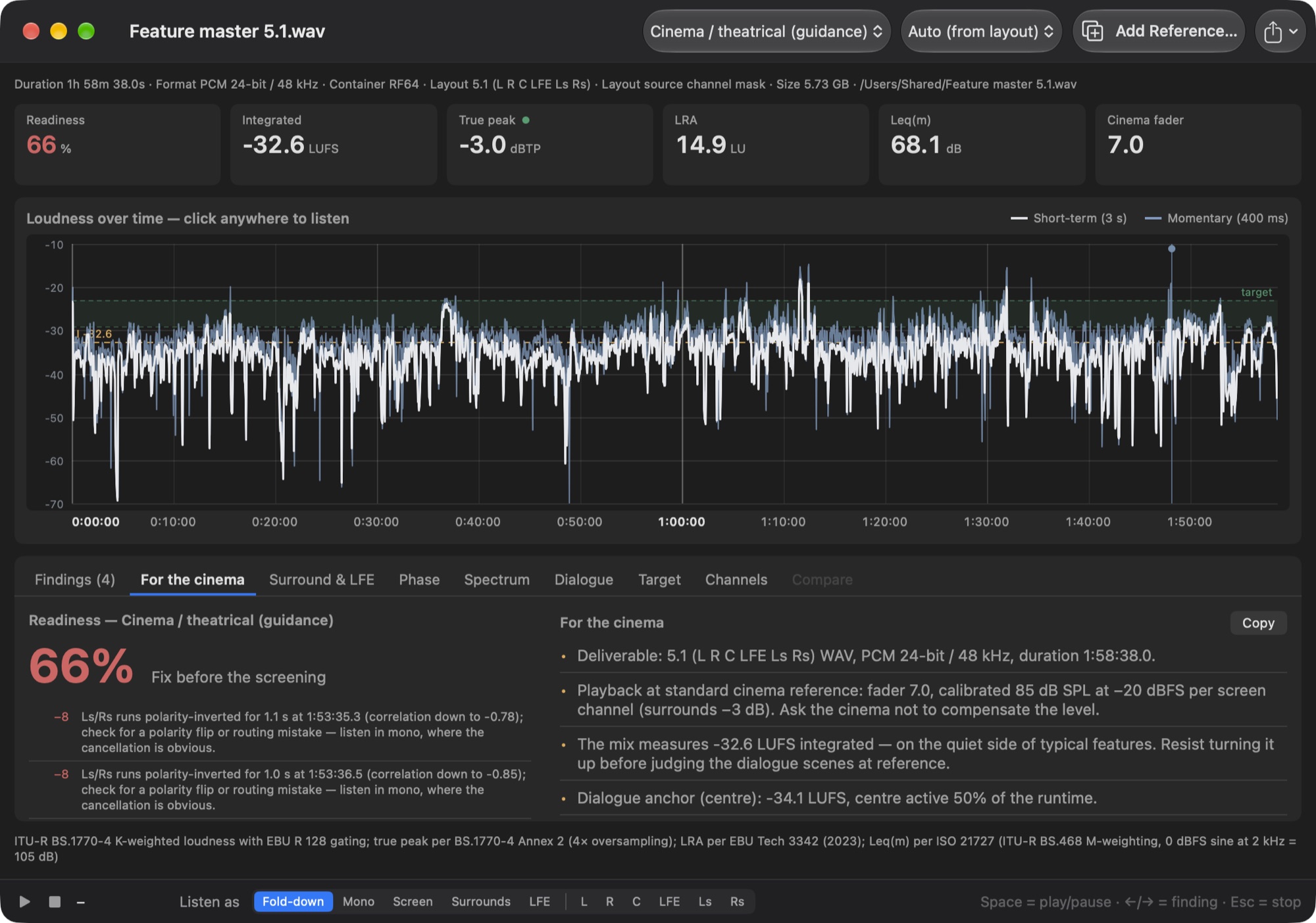
Integrated, momentary and short-term loudness, loudness range, true peak with 4× oversampling, and Leq(m) for trailers and adverts. Every maximum comes with its timecode.
A readiness score with the reason for every deduction, and a copyable briefing for the cinema: the deliverable, the fader setting and what to listen for.
Check against Netflix, EBU R 128, ATSC A/85 or trailer limits. Cinema targets are guidance only: a creative mix is never marked wrong on loudness alone.
See screen, surrounds and LFE over time, find polarity flips and fold-down problems, and check that nothing above 120 Hz leaks into the LFE.
Long-term spectrum per channel and a centre-channel dialogue view: how loud the dialogue anchor sits, how much of the runtime it is active, and how it compares with the sides.
Measure a second file alongside: the previous version of your mix, or a film you want to sit next to. Both are drawn on the same timeline and spectrum.
Click anywhere on the timeline, or the play button on a finding, to hear that moment as the stereo fold-down, the screen, the surrounds, the LFE or any channel alone.
Clipping, dead or silent channels, DC offset, invalid samples, layout mistakes and missing headroom are found and listed with their location.
Export the full result as a Markdown report for the delivery notes, or as JSON for your own scripts and archive.
Support
Questions, bug reports and ideas are welcome by email at rauno@raunoa.com. Please mention your macOS version and the file format (for example 5.1 WAV, 24-bit, 48 kHz). If a measurement looks wrong, the exported Markdown or JSON report helps a lot.
Stereo, 5.1 and 7.1 WAV files, including RF64 and BW64 masters larger than 4 GB, which CineMeter reads directly. MOV, MP4, M4A, AIFF, CAF and FLAC files, including the audio of a video file, are decoded with macOS’s own frameworks. No extra software is needed.
The measurement engine follows ITU-R BS.1770-4 with EBU R 128 gating, EBU Tech 3342 for loudness range and BS.1770-4 Annex 2 for true peak. It is tested against the official EBU Tech 3341 and 3342 compliance cases, and agrees with ffmpeg’s independent meter within 0.05 LU on integrated loudness.
It measures the centre channel on its own as a dialogue proxy, which is what most deliveries check against in practice. It does not separate speech from music and effects, so the figure is labelled a proxy and never called dialogue-gated loudness.
There is no single loudness limit for theatrical features. The cinema target shows typical ranges for orientation and flags technical problems, but it never marks a creative mix wrong on loudness alone. For trailers and adverts, choose the trailer target, which checks the Leq(m) limit.
CineMeter reads the layout from the file when it is declared there, and otherwise assumes the film order L R C LFE Ls Rs. If the centre channel is somewhere else, choose its position in the toolbar and the file is measured again.
No. See the Privacy Policy.