Prefix routing, both ways
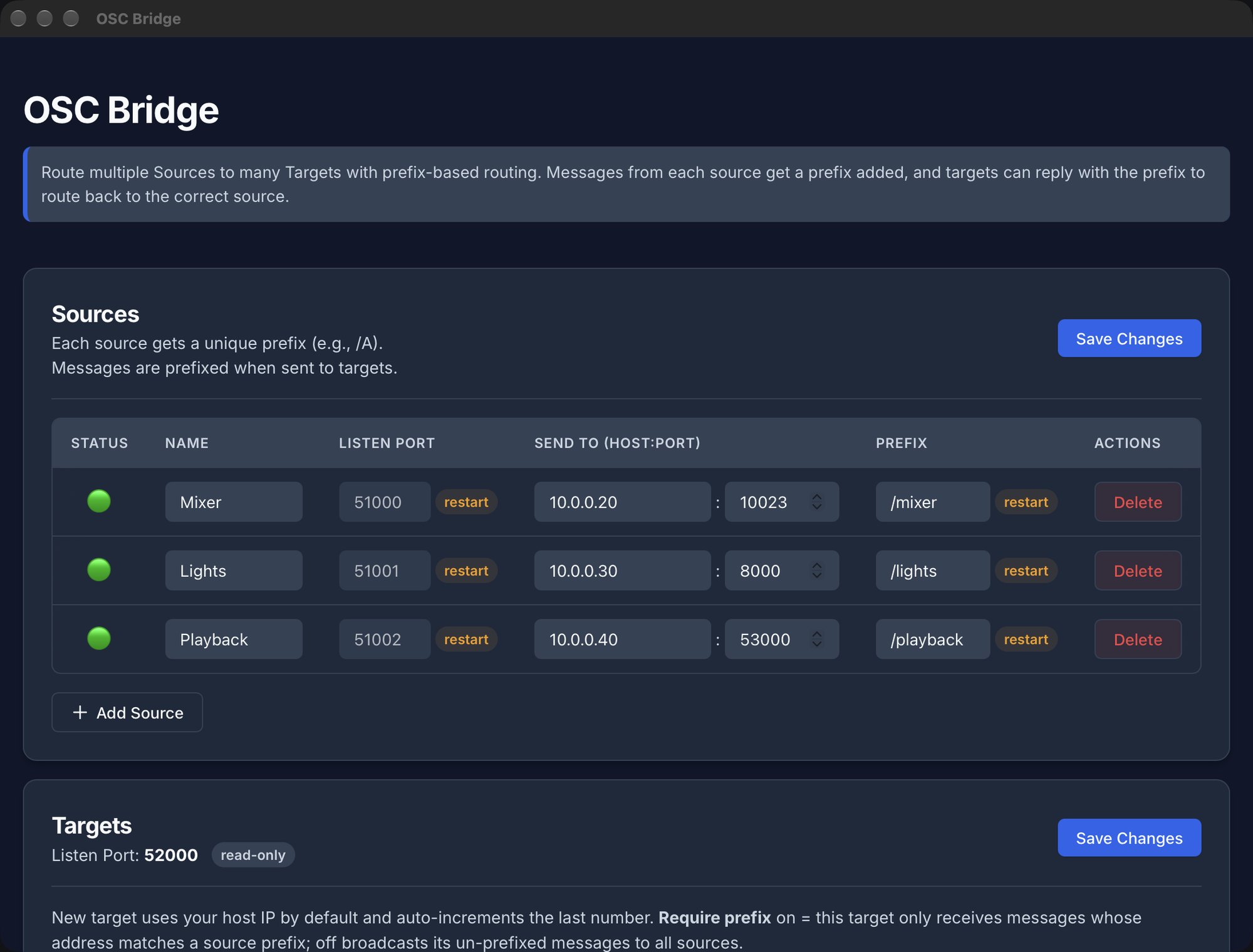
Each source listens on its own port and gets its own prefix. Replies that carry the prefix go back to the right source with the prefix removed, so devices never see addresses they did not send.


OSC Bridge · for Mac
OSC Bridge relays OSC between your mixer, lighting desk, playback machine and every controller on the network. Each source gets its own address prefix, replies find their way back on their own, and a live monitor shows every message as it happens.
Many → manyAny number of sources and targets, each on its own UDP port
Bit-for-bitOnly the OSC address changes; arguments and timetags pass through untouched
NativeUniversal app for Apple silicon and Intel, macOS 12 or later
0 cloudTalks only to the devices you set up on your own network
How it works
A message /volume from the mixer reaches every controller as /mixer/volume. When a controller sends /mixer/volume back, OSC Bridge strips the prefix and delivers /volume to the mixer.
Each source listens on its own port and gets its own prefix. Replies that carry the prefix go back to the right source with the prefix removed, so devices never see addresses they did not send.
Send everything to tablets, laptops and consoles at once. Give each target a name, and choose per target whether it must use a prefix or may broadcast to every source.
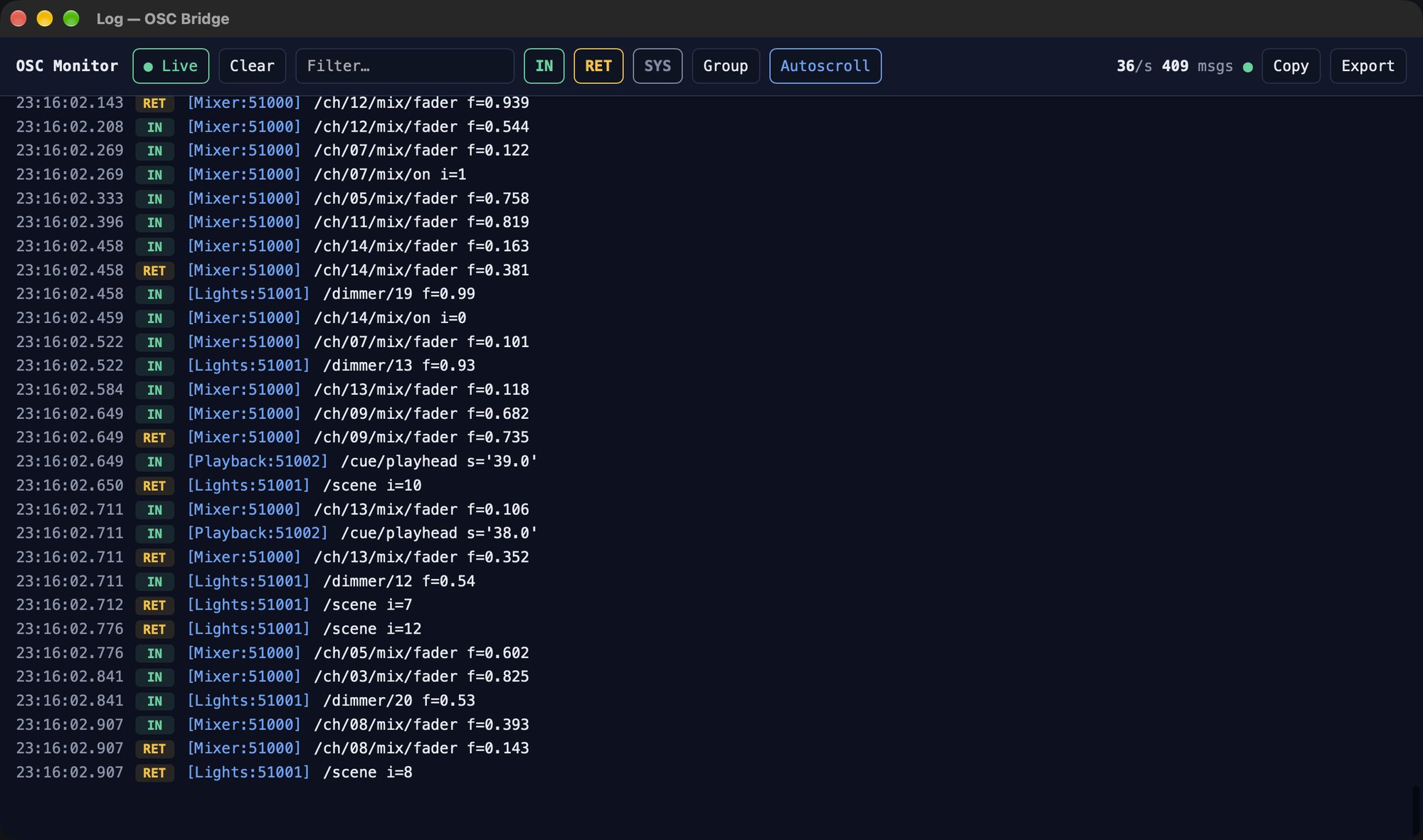
Every message with its decoded address and arguments, marked as incoming or returning. Filter by address or source, group repeats, spot newly seen addresses, and export the log.
OSC bundles are opened up to rewrite each message’s address and rebuilt with correct sizes. A bundle that mixes several sources is split so each source receives only its own messages.
OSC Bridge runs quietly in the menu bar. Turn on Start at login and Start in background, and the routing is up before anyone opens a window.
Save the whole setup — sources, targets and names — to a file, and load it on the touring laptop or the spare machine to get an identical bridge in seconds.
Support
Questions, bug reports and ideas are welcome by email at rauno@raunoa.com. Please mention your macOS version and the devices involved. An exported settings file and log (both in the app) help a lot.
Add a source for each device that sends OSC and point the device at that source’s listen port on your Mac. Enter the device’s own address under Send to so replies can reach it. Then add every controller as a target, and point the controllers at the targets listen port shown in the Targets card.
With it on (the default), messages from that target only go to the source whose prefix they start with. With it off, messages from that target that match no prefix are sent to every source, which suits a controller that does not know about prefixes.
Choose Allow. OSC Bridge needs local network access to send and receive OSC. You can change the choice later in System Settings → Privacy & Security → Local Network.
New listen ports and prefixes take effect after a restart: quit OSC Bridge from the menu bar and open it again. Send-to addresses and targets apply immediately.
Only the address: the prefix is added on the way to the targets and removed on the way back. Type tags, arguments and bundle timetags are forwarded byte for byte, and anything that is not valid OSC is passed through unchanged.
No. It talks only to the devices you configure. See the Privacy Policy.