Angles and lines
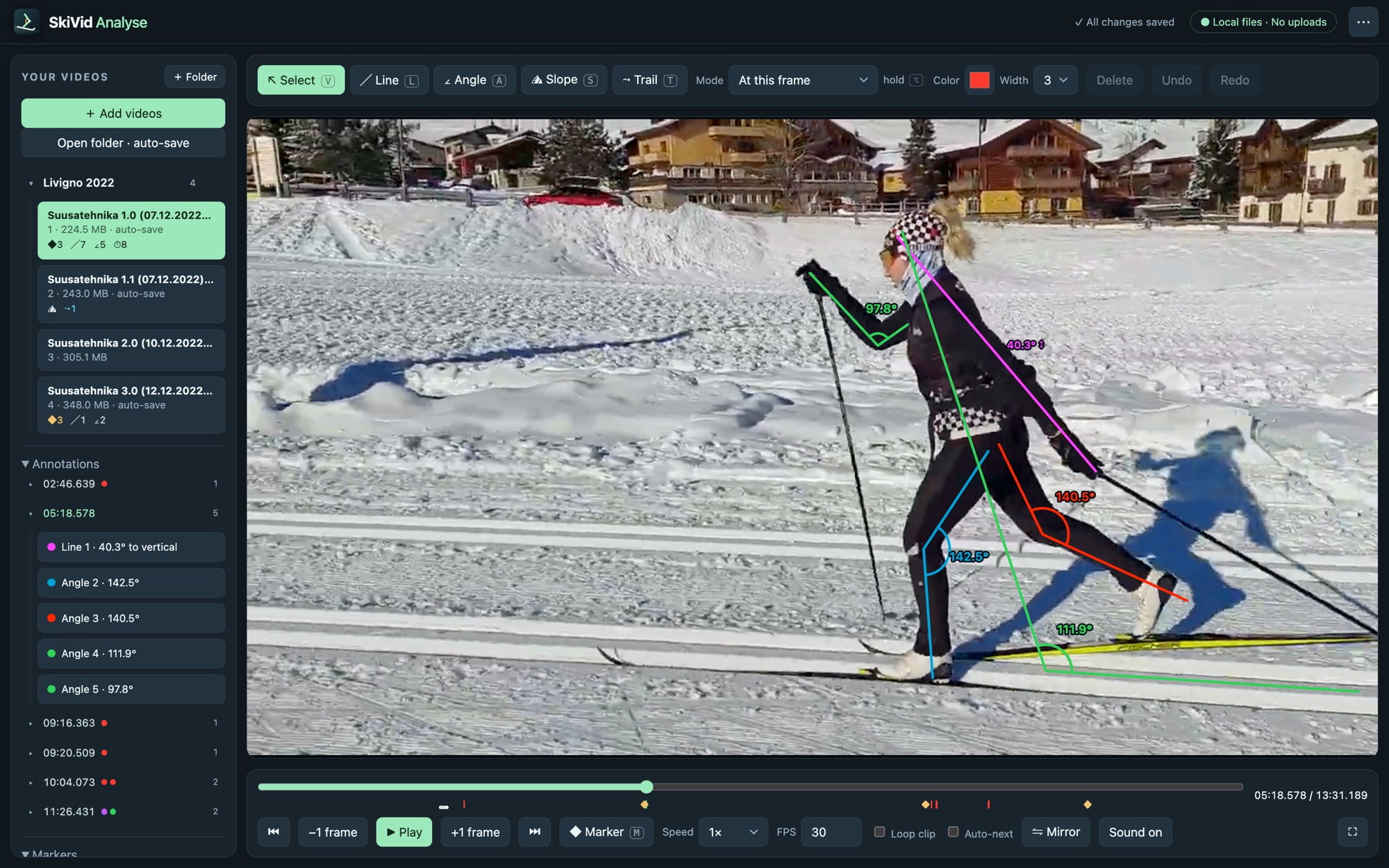
Measure knee, hip and ankle angles, body lean and pole angle. Lines show their tilt to vertical, or to the slope once you draw it.


SkiVid Analyse · for Mac
A video analyser for ski technique. Step through your runs frame by frame, measure knee, hip and pole angles, time every push, and put two runs side by side. Built for skiers and coaches, and fully offline.
Frame by frameStep forward and back one frame at a time, even in 240 fps slow motion
0.1× – 3×Playback speed, with zoom, pan and mirror
A | BTwo runs side by side or overlaid, kept in sync
0 uploadsEverything is processed on your Mac
What it does
Draw straight onto the video. Every line and angle is measured live and stays pinned to the frame where you drew it.
Measure knee, hip and ankle angles, body lean and pole angle. Lines show their tilt to vertical, or to the slope once you draw it.
Tap pole plants and left and right pushes while you watch. The app works out cycle time and rhythm, corrected for slow motion.
Put two videos side by side or overlay them with transparency. Align them on a marker and they play in sync.
Follow a hip, a knee or a ski tip frame by frame and see its path, including how far it rises and drops.
Mark key moments, name them and jump between them. Each video in the library shows what it already contains at a glance.
Drawings auto-save in a small file beside each video, so they travel with your files. Export any frame as an image to share with your coach.
Support
Questions, bug reports and ideas are welcome by email at rauno@raunoa.com. Please mention your macOS version, and if a video causes the problem, the camera and recording settings (for example GoPro, 4K, 240 fps).
Inside the app, press ? or choose ⋯ → Quick guide for a list of all tools and keyboard shortcuts.
Next to each video, in a small file named <video name>.skivid. Keep it with the video when you move or back up your files, and the drawings come back when you open the video again.
The app plays what macOS can decode. If a clip still fails, the app offers Make a playable copy, which creates a 1080p copy at the original frame rate, so every slow-motion frame is kept.
That works. Videos play from where they are. If the drive is unplugged, the videos are greyed out in the list and reconnect when the drive is back.
Angles and lengths are measured in the flat video image, so the camera angle affects them. For the most comparable results, film from the side and from the same spot each time, and use the slope line to measure relative to the hill.
No. See the Privacy Policy.