Watch your dependencies
Choose platforms, runtimes, packages and features, or enter a term of your own. The monitor checks sources including vendor security feeds, the GitHub Advisory Database and CISA’s Known Exploited Vulnerabilities Catalog.
 SignalPatch for iPhone
Choose the software you run. SignalPatch watches for vulnerability disclosures and end-of-support notices, then sends matching alerts to your iPhone.
In development iOS 17 or later
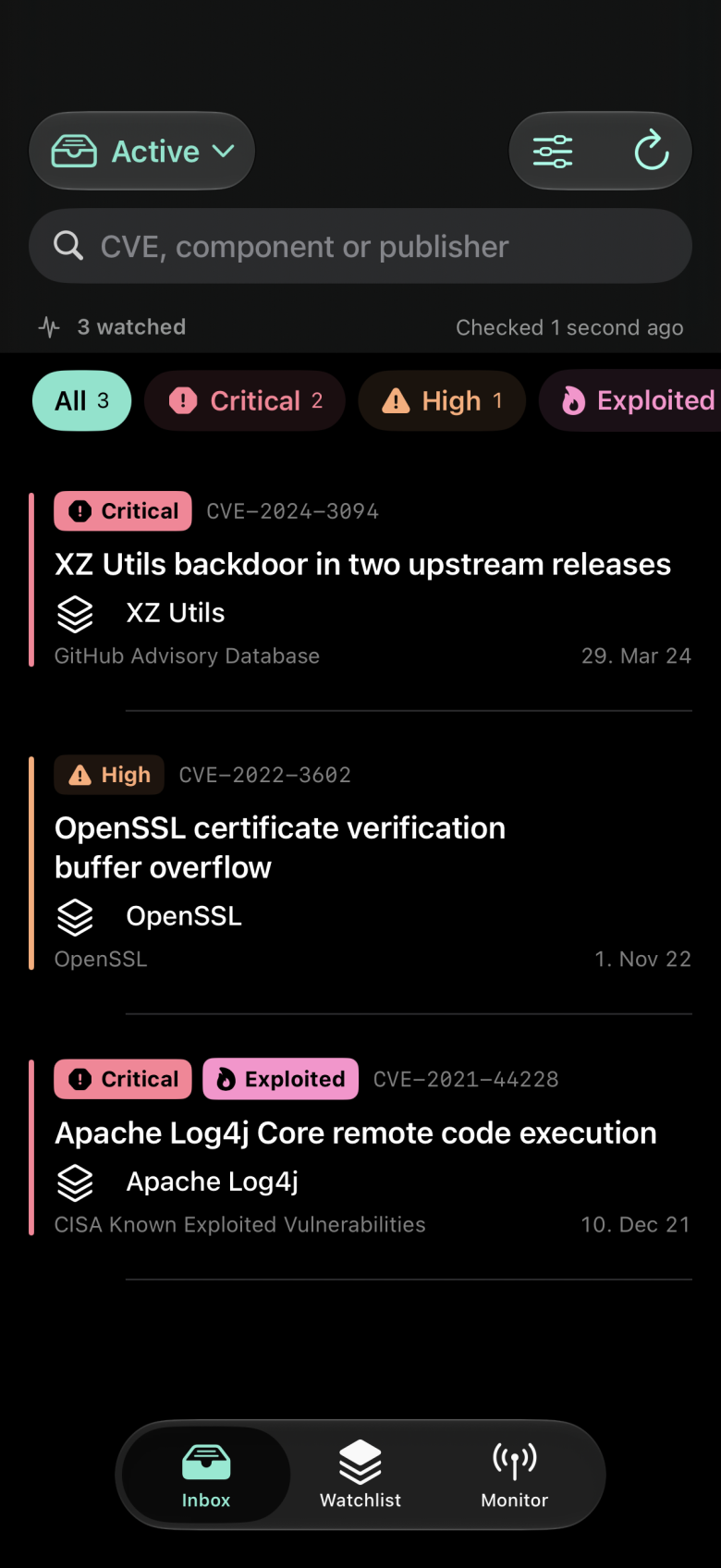
Choose platforms, runtimes, packages and features, or enter a term of your own. The monitor checks sources including vendor security feeds, the GitHub Advisory Database and CISA’s Known Exploited Vulnerabilities Catalog.
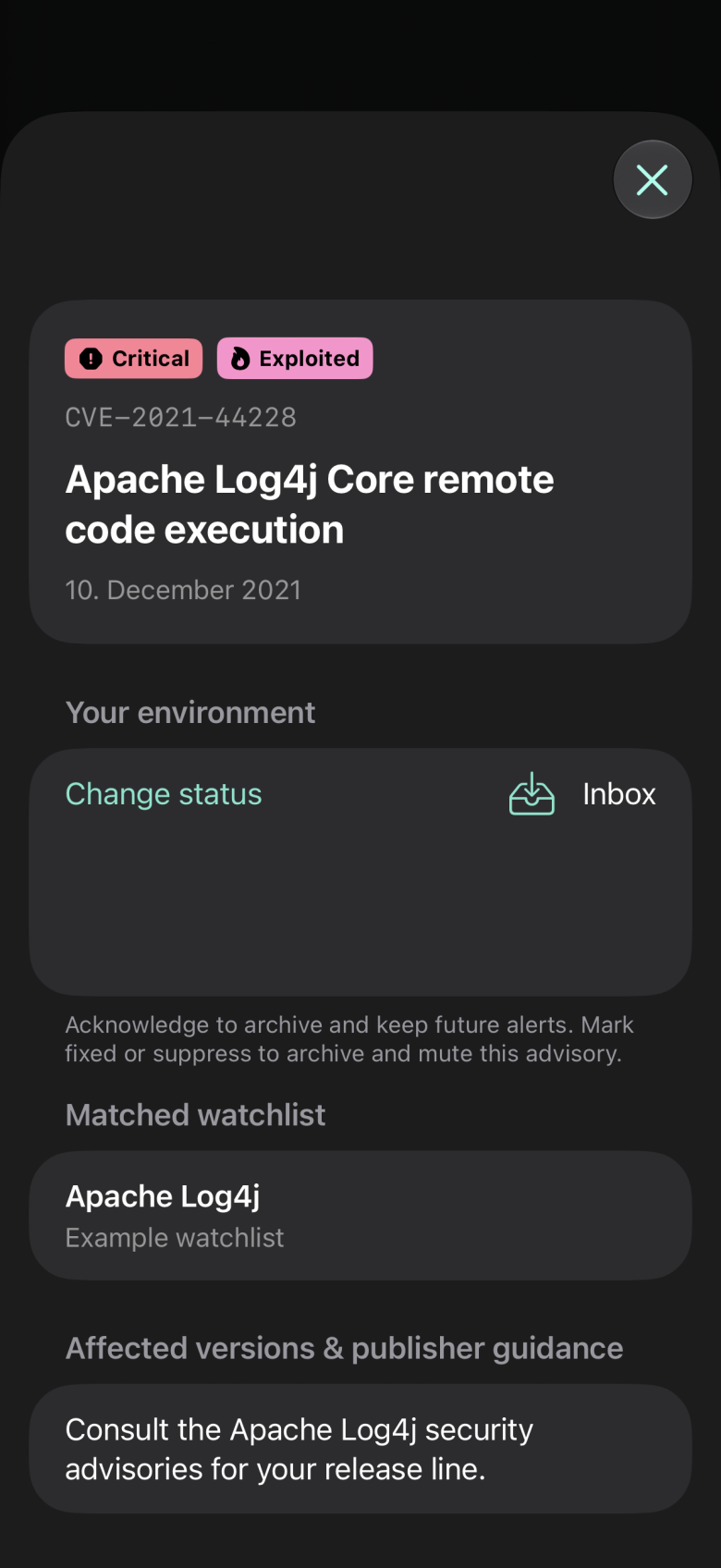
Each advisory shows its severity and the components it matched. A separate marker flags known exploitation. Open the publisher’s guidance to check affected releases against the version you have deployed.
Your iPhone saves the inbox. After the first sync it downloads changes, so you can search, filter and review advisories even when you lose your connection.
SignalPatch is in TestFlight testing for iPhones running iOS 17 or later. The subscription edition connects automatically. Subscribe with your Apple Account, choose what to watch and enable alerts. Use Restore Purchases on a replacement iPhone. In the per-iPhone version, choose the IoT platform or Website template and customize that phone’s list. The planned price in Estonia is €2.99 per month. Other storefronts display their local price.
In TestFlight build 4, open Watchlist and connect a GitHub or GitLab repository. Your iPhone compares npm, Composer, Go and pinned Python dependencies on the default branch with package advisories. Open a match to see the project, file, version and affected range. The phone connects directly to your Git host. Raunoa receives neither the repository connection nor your dependency list. Push notifications follow your saved watchlist.
After the initial feed check, newly discovered matches qualify according to your watchlist and alert settings. Enable alerts on your iPhone. The monitor operator configures delivery through Apple. In the app, open Monitor and choose Send a test alert to check delivery.
The monitor keeps checking publishers. You can read saved advisories and change their status on your phone. Those decisions sync the next time the app can reach your monitor.
Questions about the app? Email SignalPatch support.